

Treasury Management
Fund the project treasury, publish tasks on-chain, and reclaim ADA from expired tasks
The project treasury is a smart contract on Cardano that holds ADA for task rewards. When you publish a task, its reward amount gets locked in the treasury. When you accept a contributor's submission, the locked ADA is automatically sent to their wallet. A 1% platform fee is deducted at distribution time.
All treasury operations happen on the Treasury Management page — accessible from the Overview tab by clicking Manage Treasury, or from the Tasks tab when draft tasks exist.
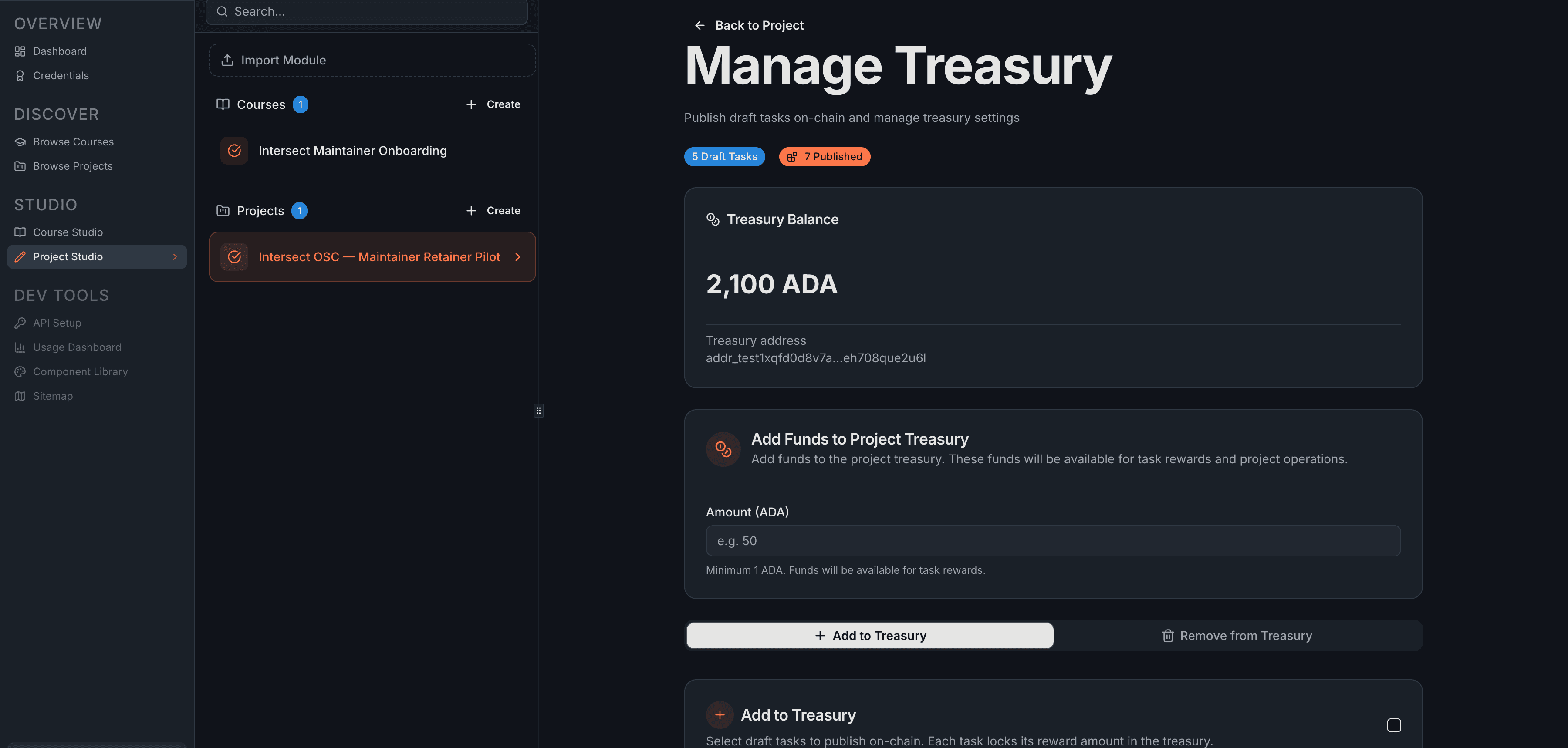
Treasury Balance
At the top of the page, you'll see the current balance and the treasury's on-chain address.

The number that matters is Available Funds — your treasury balance minus the ADA already locked for published tasks. This is what you can spend on new tasks. If you want to publish tasks whose rewards exceed your available funds, you need to deposit more.
Depositing ADA
The Add Funds section lets you deposit ADA from your connected wallet into the treasury.
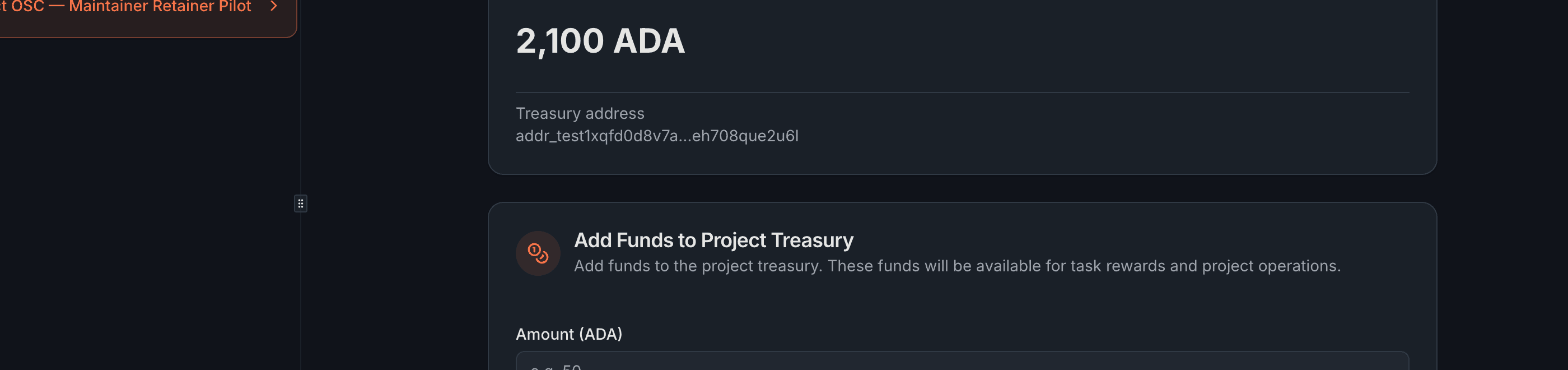
- Enter the ADA amount (minimum 1 ADA)
- Click Add to Treasury
- Sign the transaction in your wallet
- Wait for blockchain confirmation — the balance updates automatically
Deposited ADA goes into the treasury smart contract. You can only withdraw it by removing published tasks (which returns their locked ADA) or as the project owner.
Publishing Draft Tasks
The Add to Treasury tab is where you select drafts to publish on-chain. Publishing locks the reward amount for each task and makes them available to contributors.
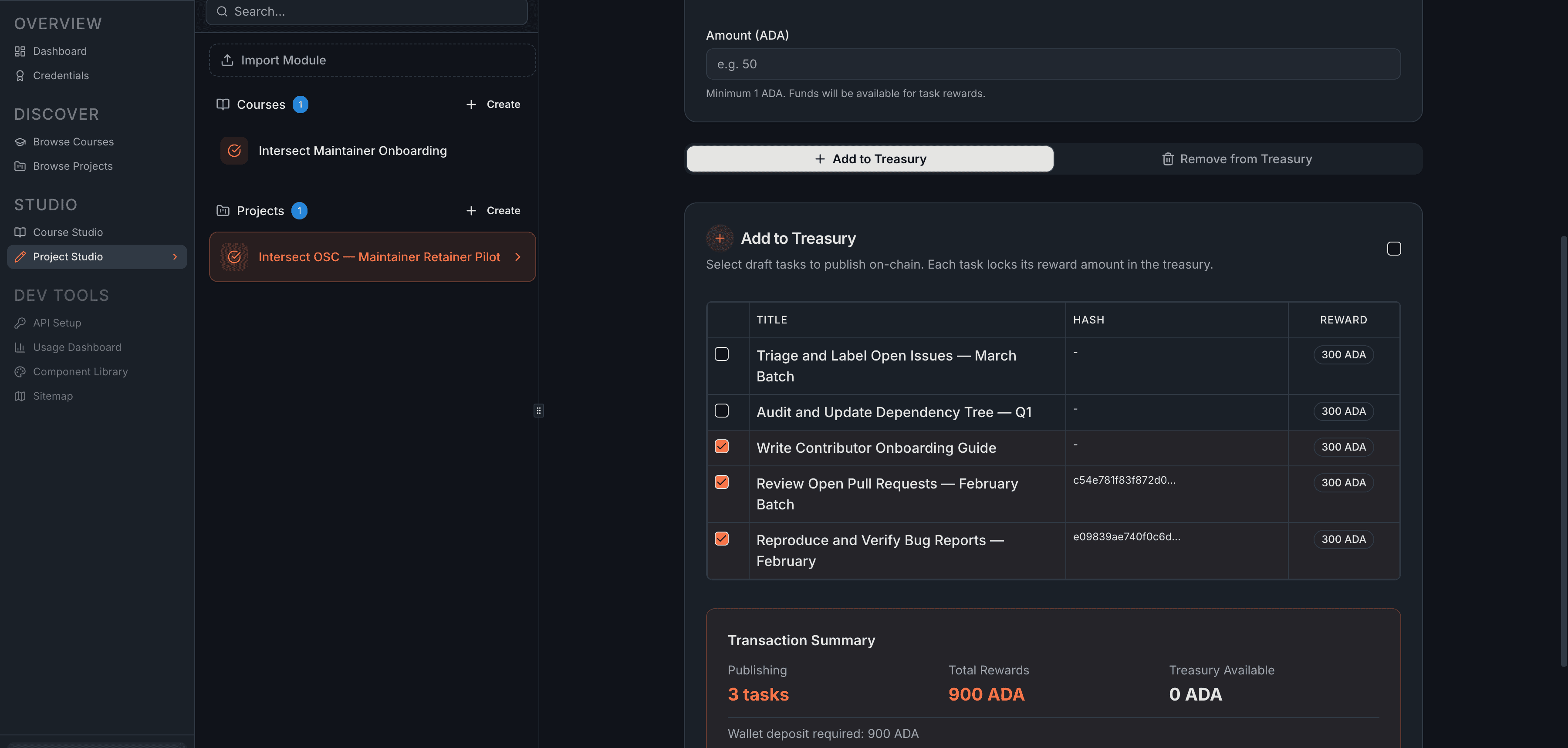
- Select the drafts you want to publish (or use "Select All")
- Review the Transaction Summary at the bottom
- Click Publish Tasks and sign the transaction
- Wait for blockchain confirmation
The Transaction Summary updates in real time as you select tasks:

The key line is Wallet deposit required — the additional ADA needed from your wallet if the treasury doesn't have enough to cover the selected rewards. The math is straightforward: if you're publishing 900 ADA in rewards and the treasury has 0 available, you need 900 ADA from your wallet.
On-chain task content is limited to 140 characters. Longer titles are truncated on-chain but remain in full on the platform.
When the transaction confirms, the tasks become Available — live on-chain and open for contributors to commit.
Removing Tasks
The Remove from Treasury tab lets you pull published tasks off-chain and reclaim their locked ADA.
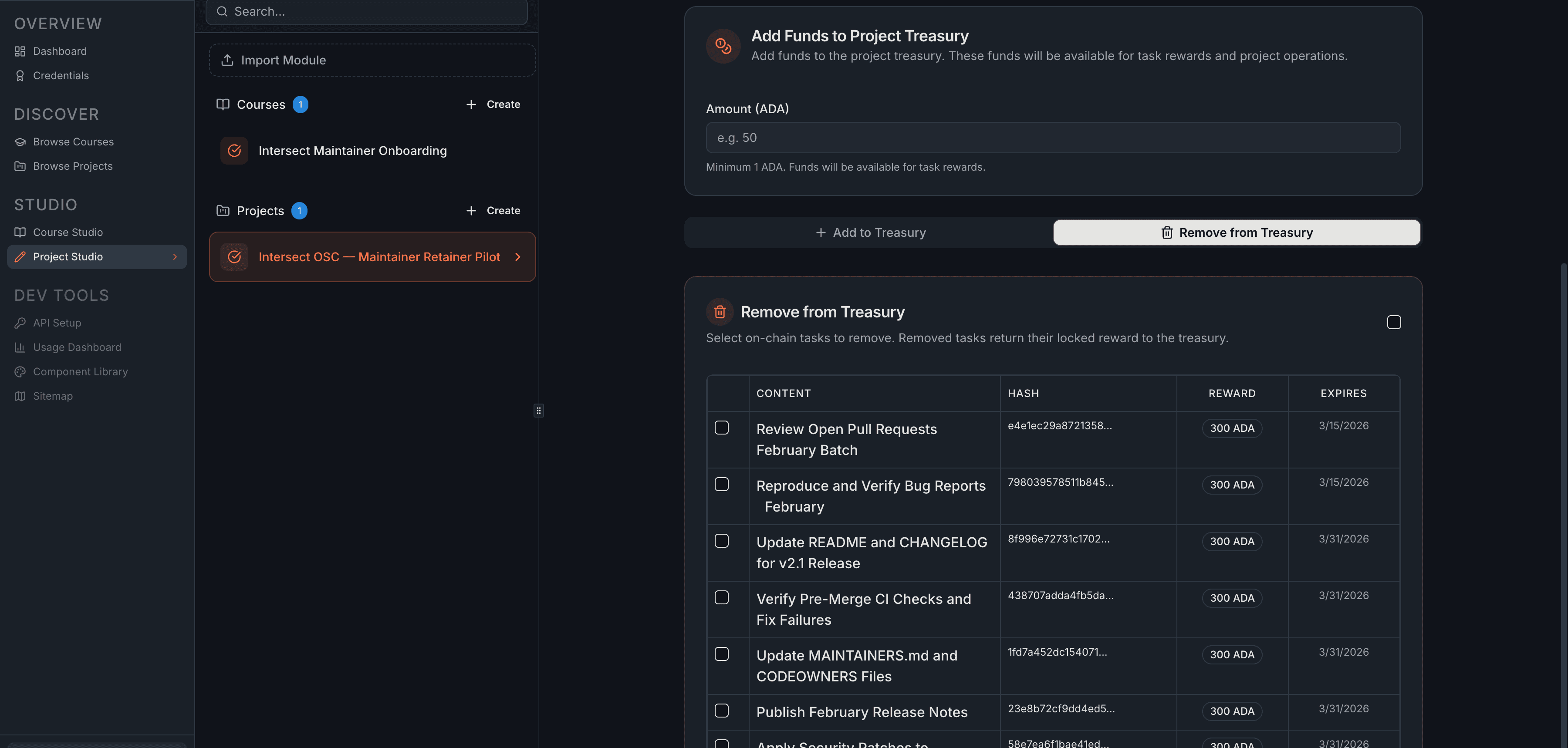
Select the tasks to remove, submit the transaction, and the locked ADA returns to your treasury balance.
Use this to cancel tasks that are no longer needed, reclaim ADA from expired tasks, or clean up stale work.
You cannot remove a task that has an active commitment (In Progress or Pending Review). Only Available and Expired tasks can be removed.
Treasury Math
All numbers on this page are computed from on-chain data:
- Treasury Balance = on-chain ADA balance minus the min-UTxO reserve (~2–3 ADA required by the Cardano protocol)
- Available Funds = Treasury Balance minus the sum of all locked task rewards
- Wallet Deposit Required = Total Rewards of selected tasks minus Available Funds (or 0 if the treasury has enough)
- Budget Utilization = (Rewards Distributed + Platform Fees) / Total Deposited — visible on the Reports tab
What's Next
- Task Management — create draft tasks before publishing
- Reports — track treasury activity and export financial reports
Related
- Manage Tasks Transaction — on-chain reference for publishing and removing tasks