

Reports
Track treasury activity, audit contributor payouts, and export financial reports
The Reports tab shows how project funds are being used — deposits, contributor payouts, budget utilization, and exportable reports. Every number is computed in real time from on-chain data, independently verifiable against the Cardano blockchain.
Reports are visible only to project owners and project managers.

KPI Cards
Six cards at the top give you the headline numbers.
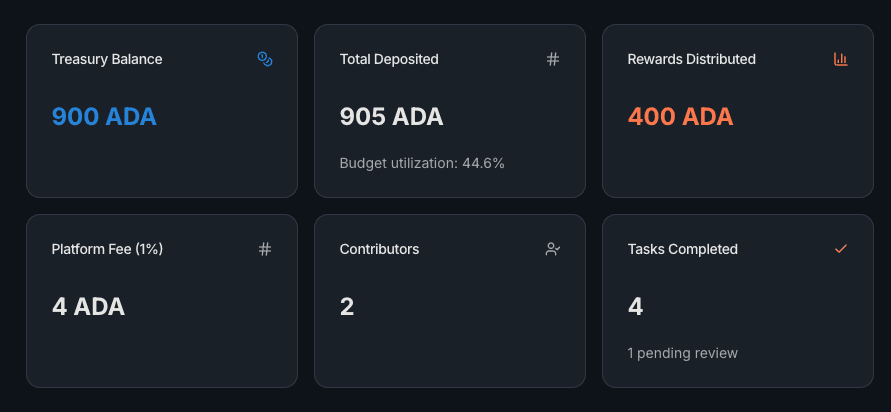
- Treasury Balance — current spendable ADA
- Total Deposited — all-time deposits, with budget utilization percentage below
- Rewards Distributed — total ADA paid out for accepted tasks
- Platform Fee (1%) — automatic commission on distributed rewards
- Contributors — unique contributors registered to the project
- Tasks Completed — tasks with accepted submissions (may show a "pending review" count if submissions are waiting)
The budget utilization percentage under Total Deposited is your burn rate — the fraction of deposited funds spent on rewards and fees. When this gets above 80%, consider depositing more through Treasury Management.
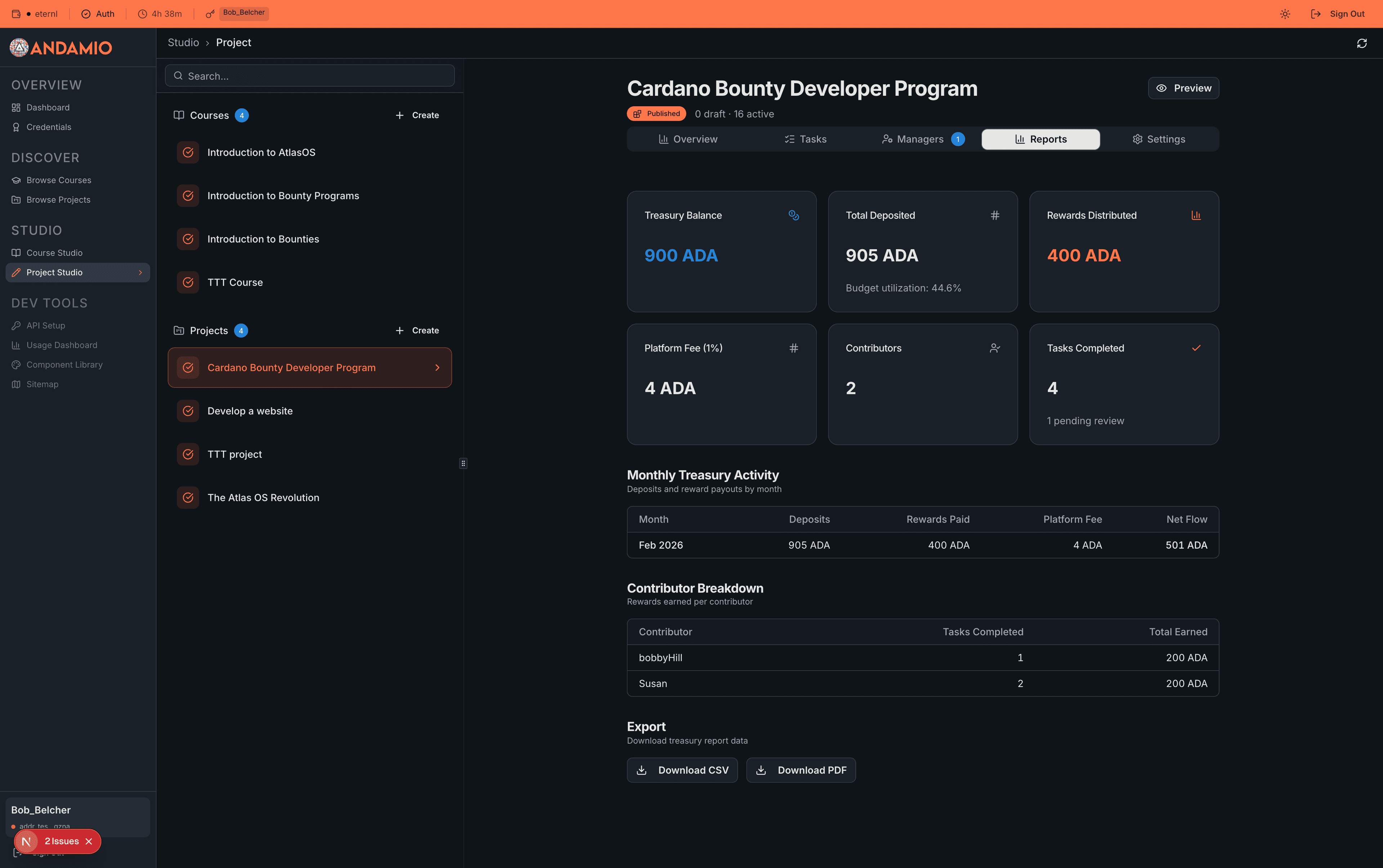
Monthly Treasury Activity
A month-by-month breakdown of deposits, rewards paid, platform fees, and net flow.

Net Flow is deposits minus rewards minus fees for that month. Positive means the treasury grew; negative means you spent more than you deposited. If net flow is consistently negative, compare with your Treasury Balance to estimate how many months of runway you have left.
Each row corresponds to a calendar month, making it straightforward to match against external accounting periods or milestone reporting windows.
If the table shows "No treasury activity with timestamps yet", the on-chain deposits don't have slot timestamps recorded. This can happen with early deposits and resolves as new activity occurs.
Contributor Breakdown
Shows how rewards are distributed across individual contributors — sorted by total earned, highest first.
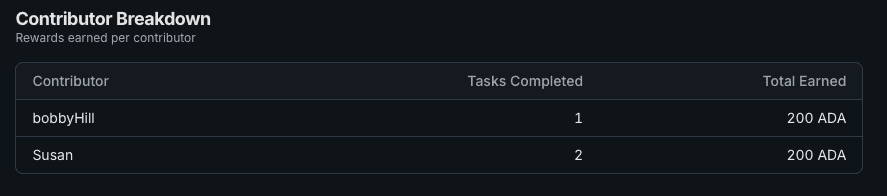
Only contributors with at least one accepted task appear here. Each row shows their alias, tasks completed, and total ADA earned. For submission-level detail, use the Managers tab to see the full history of accepted and refused submissions.
Exporting Reports
Two export options at the bottom of the page.

CSV — a spreadsheet-compatible file with project metadata, all six KPI values, and the monthly breakdown. Import into Excel, Google Sheets, or accounting software for custom analysis.
PDF — a formatted A4 report with header, summary table, monthly activity, and a data source attribution footer. Share with stakeholders, attach to governance reports, or include in milestone submissions.
Both files include the project ID (first 8 characters) and current date in the filename — e.g., treasury-report-84a6f091-2026-02-25.csv.
What's Next
- Treasury Management — deposit more ADA or reclaim funds from expired tasks
- Assessment Workflow — clear the pending review queue that feeds these reports
Related
- Task Management — the task lifecycle that generates report data